Focus on ease of use
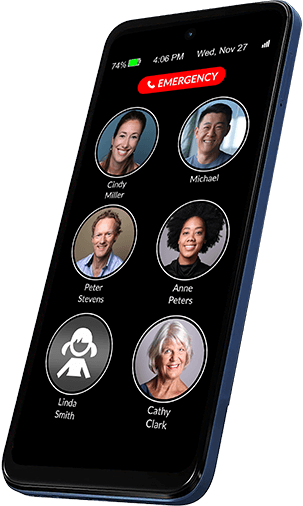
To place a call, the senior can simply tap & hold the contact’s picture. It’s equally easy to answer calls. There are no applications or difficult settings. No distractions and no confusion.
This website is a product showcase. No online payments or online orders are accepted.
Arrange a consultationWhere2Where EasyCall range
A simpler mobile experience with large picture contacts, clear navigation and personal in-store guidance for older people and their families.
This website is a product showcase only. Availability, pricing and any in-store purchase are confirmed with a consultant before sale.
Comfortable everyday use
To place a call, the senior can simply tap & hold the contact’s picture. It’s equally easy to answer calls. There are no applications or difficult settings. No distractions and no confusion.
The phone offers video calls, text messaging, reminders, wireless charging, big buttons, an extra loud loudspeaker, it helps the senior remember to charge and much, much more!
Remotely manage contacts, settings and other aspects of your senior’s RAZ Memory Cell Phone from your own smartphone, through the RAZ Care caregiver app.
Every feature is optional since every senior is different! Give your senior access to the features you believe they can use safely and proficiently.
Key Features
Practical features that can make calling, reading and staying connected easier for older users and their families.
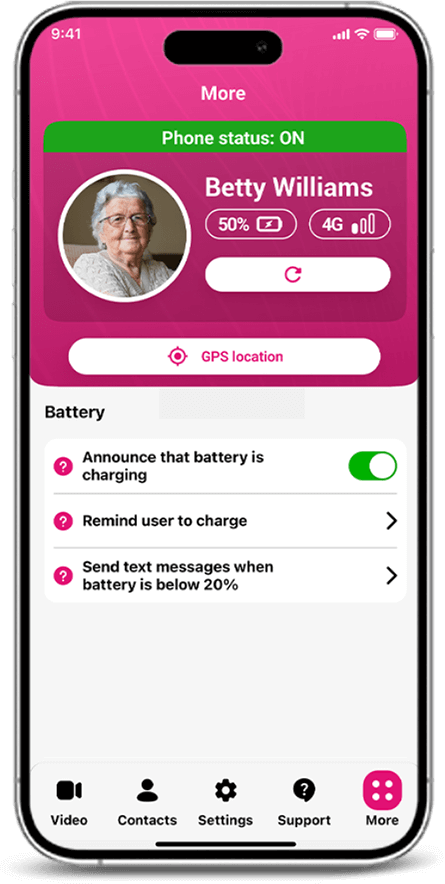
Charging reminders and battery status checks can help keep the handset ready for everyday use.
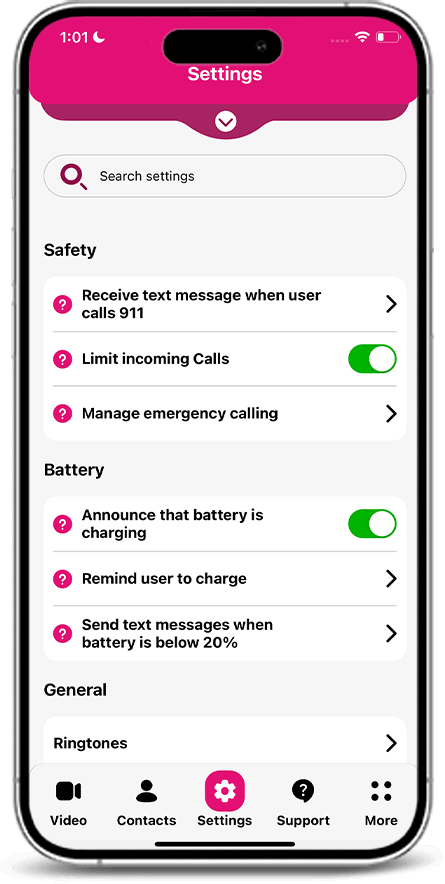
Approved contact settings can help reduce unwanted incoming calls and everyday interruptions.
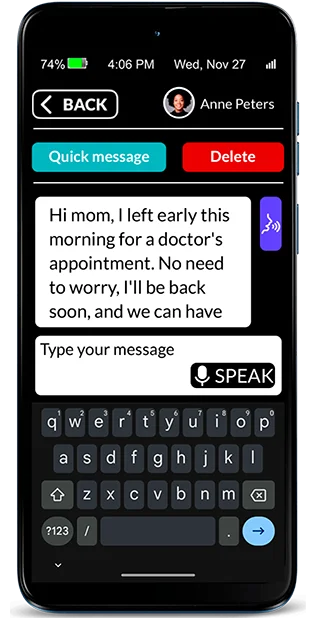
Large lettering, clear buttons and simplified message controls support a more comfortable experience.
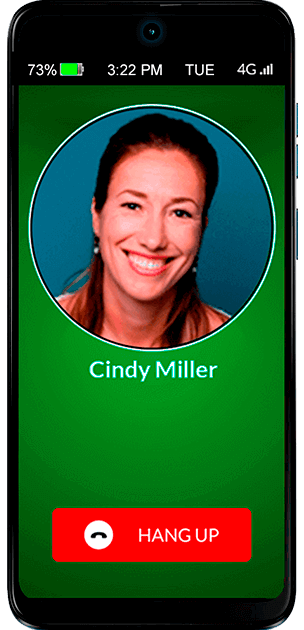
Loudspeaker and supported auto-answer options can make telephone conversations easier to manage.
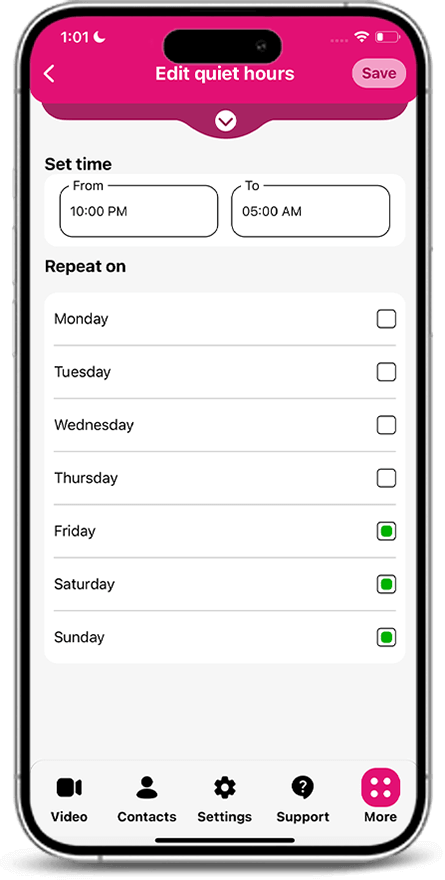
Set suitable calling times and help manage repeated calls during rest periods or overnight.
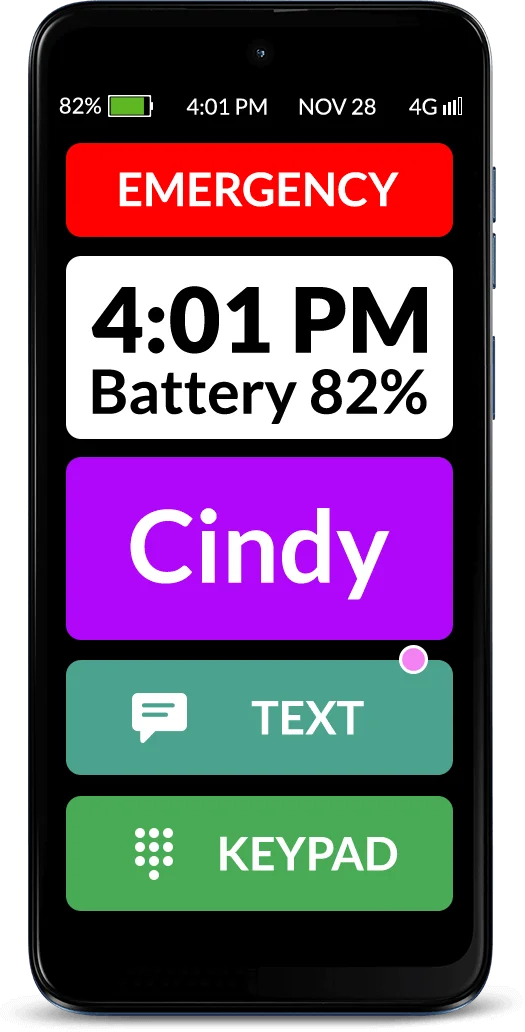
Larger buttons and stronger contrast can assist people with reduced vision or hand tremor.
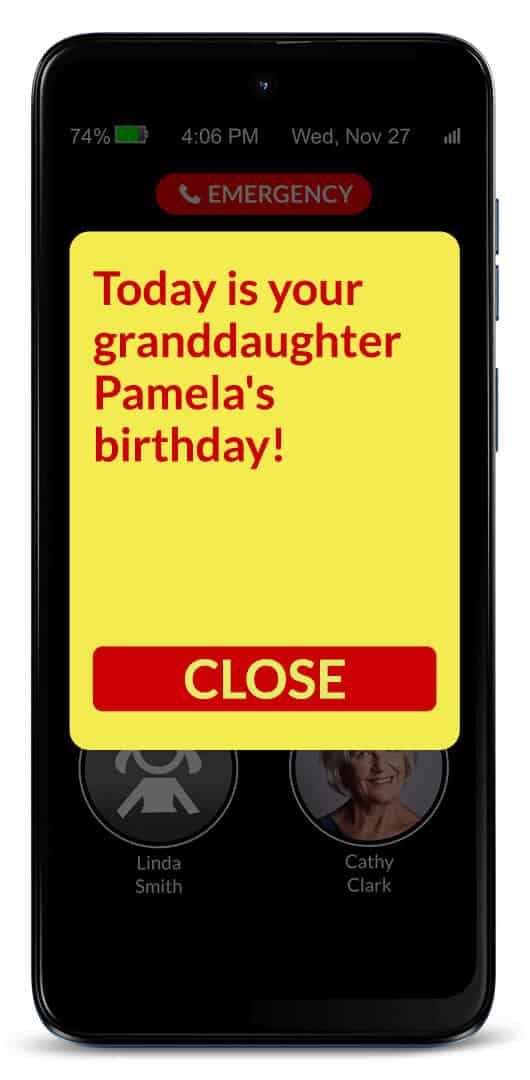
Scheduled reminders can support appointments, routines and important moments throughout the day.
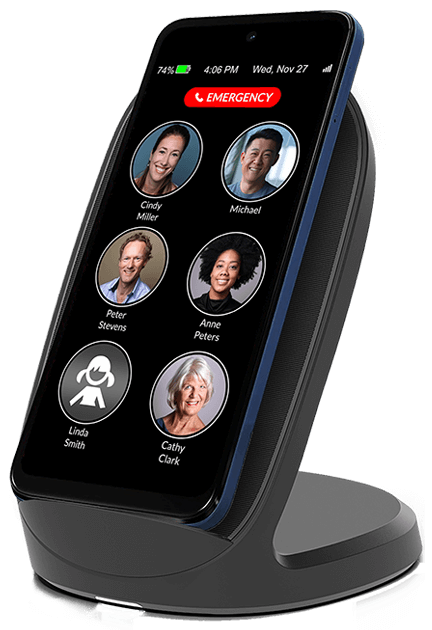
Compatible charging accessories can reduce the need to connect a small cable each day.
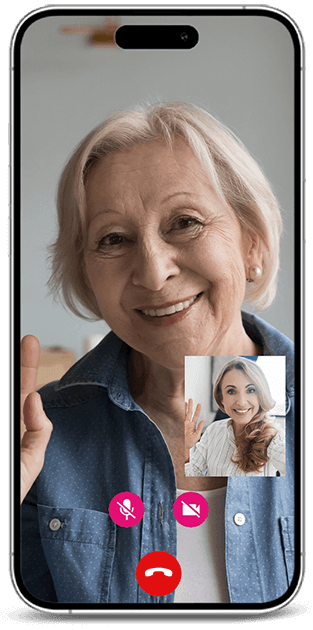
Supported video calling features can help families maintain face-to-face contact from a distance.
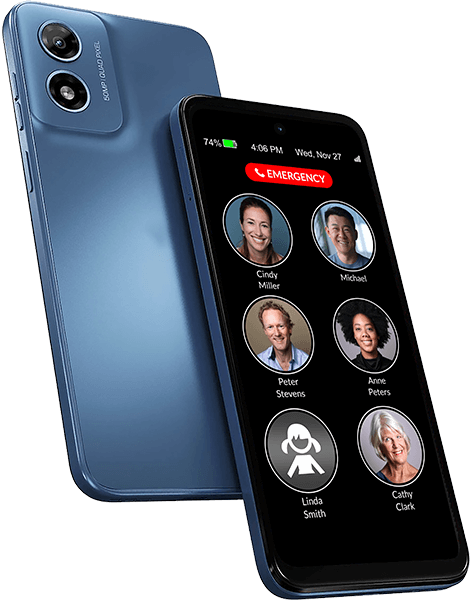
A consultant can explain available handset features and arrange in-store assistance.
Get consultationFeatures and accessories vary between handset models and set-up configurations. A consultant will confirm available options before any in-store purchase.
Family and carer support
Our team can explain available handsets and demonstrate practical set-up choices for an older family member, including readability, key contacts and charging habits.
Connected caregiver apps or remote-management tools are model-dependent and are only offered where supported by the selected product.
Ask a consultant about set-up support →Your local consultation
Keep your existing cell phone number and provider or select almost any wireless provider, including Verizon, AT&T, T-Mobile, Mint Mobile, Affinity Cellular, Consumer Cellular, and Straight Talk in the U.S., and SaskTel, Bell, Telus and Rogers in Canada.
You can choose to receive 3 months of FREE service with your purchase. Only $20 per month thereafter.
Arrange a store visit
Safety and confidence
Suitable handset features can help older users reach familiar contacts, manage everyday calls and feel more confident using their phone.
On compatible handsets, a visible shortcut can be configured for a nominated family member or trusted contact.
A consultant can explain contacts, display settings, call volume and charging options before purchase.
Important: A trusted-contact shortcut is not a monitored emergency service. In an urgent or life-threatening emergency in Australia, call Triple Zero (000).
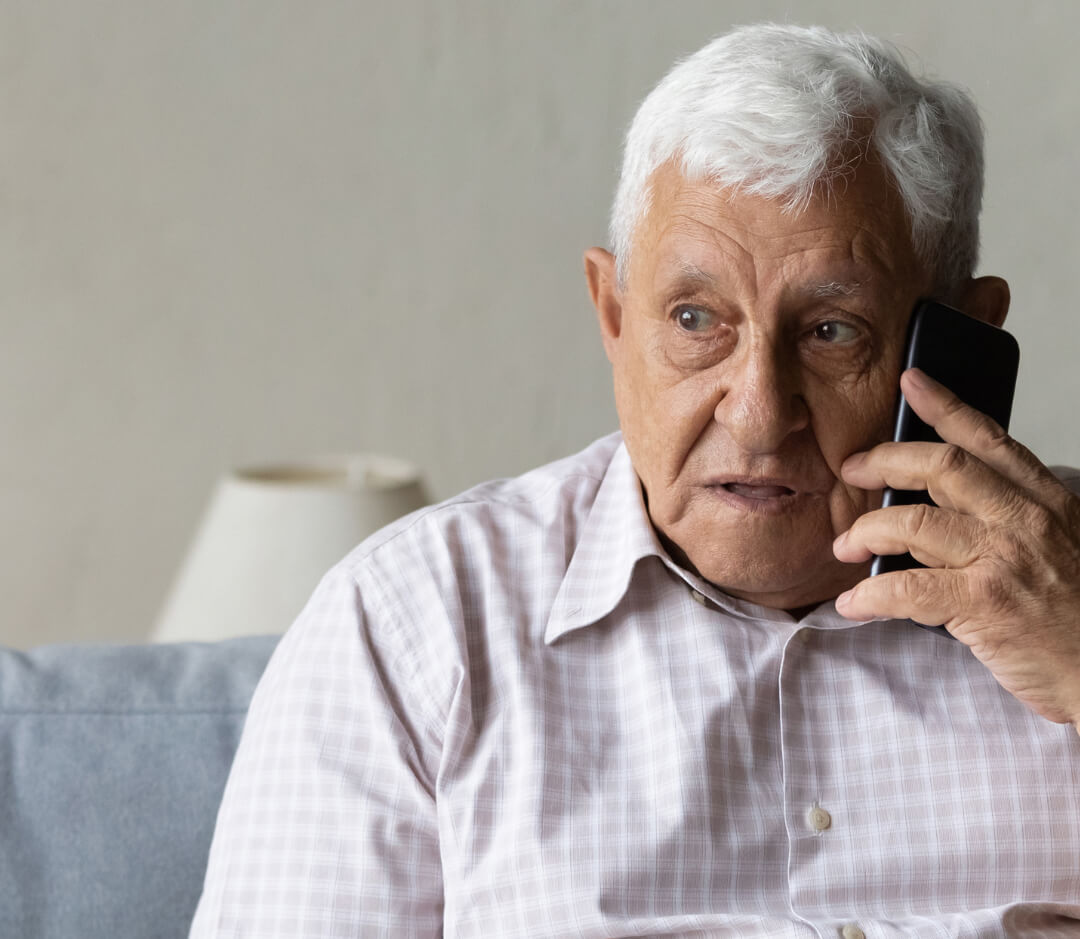
A clearly presented contact shortcut can make everyday calling feel simpler and more reassuring.
Customer feedback
Families often look for clear controls, readable screens and helpful guidance when choosing a phone for an older relative.

“We wanted a phone with a much clearer layout for Mum. The large contact buttons made it easier to explain, and the consultation helped us choose the right set-up.”
“Dad found his previous smartphone frustrating. A simpler screen and larger calling buttons have made everyday calls much less stressful for him.”
“The in-store explanation was very useful. We could see the handset, ask questions and understand which features would actually be helpful before deciding.”
“The simpler navigation was exactly what we were looking for. Having someone explain the available options in person made the whole process straightforward.”
“My mother mainly needed something easy for calling family. Large contact tiles and clear guidance made the handset much easier for her to understand.”
Where2Where Mobility
Speak with a member of our showroom team about available senior-friendly handset options.
1300 000 000 Request a call back →Compare before you visit
Review key handset specifications before arranging an in-store consultation with our team.

Device overview

Calling and network

Screen and body

Included items
Product discussion guide
Remotely manage contacts, settings and other aspects of your senior’s phone from your own smartphone through the RAZ Care app.
Reminders can be set to appear on your senior’s phone at predetermined dates, times, and frequency. Customize color and font size.
Quiet hours prevents your senior with dementia from calling specified contacts during certain hours of the day, such as in the middle of the night.
Limit repetitive calls. Set a limit for the number of calls your senior can make to a contact within a specified time period. Reduce excessive calling while keeping emergency calls available.
Availability status for video calls is displayed on the RAZ Care app to show whether your senior is available to receive video calls.
Voicemail access is optional and can be displayed on the home screen.
Month, day of the week, and date can be presented in the phone’s status bar.
In-call keypad can be shown automatically when the user calls a toll-free or any other number..
Call history can be viewed through the RAZ Care app..
Missed-calls indicator notifies the senior of a missed call with a pink dot next to the contact icon.
Hear name of caller when there’s an incoming call.
Change ringtone and ringtone volume to fit your senior’s preferences and needs.
Free updates: get the latest features and improvements for free.
Loneliness alerts help reduce loneliness and inform you when your senior does not participate in the desired number of calls.
One-touch dialing allows seniors to place calls by simply tapping a picture.
User can’t access settings. You, the caregiver, manage the settings from your own phone.
Press & hold buttons is an intuitive method that prevents unwanted outgoing calls.
Different call activation methods allow you to adapt the touchscreen to your senior’s ability and needs.
Automatic speaker mode: all calls automatically go to the phone’s loudspeaker, with a volume of up to 126.5dB.
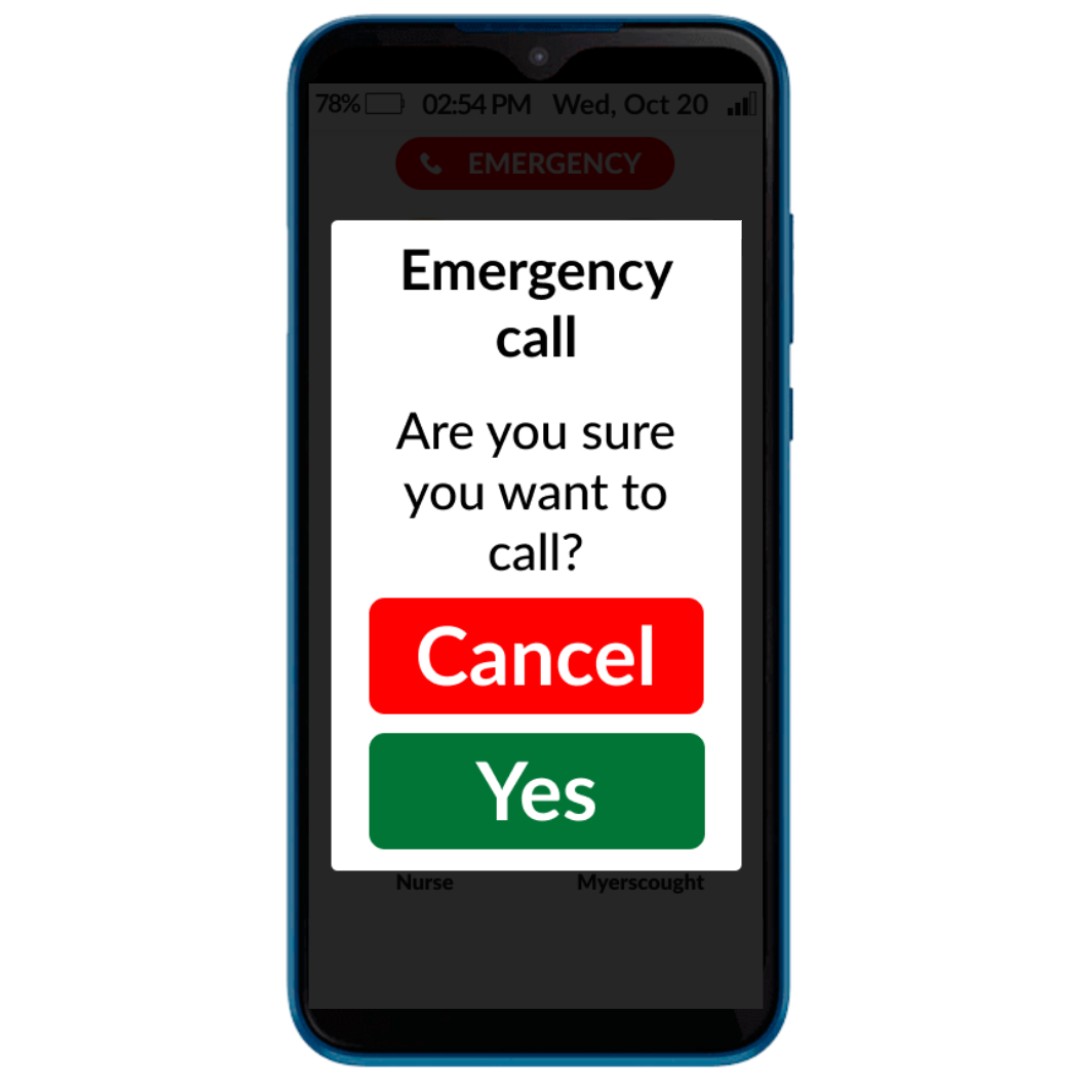
Call confirmation screen helps to avoid accidental dials. It will appear after a contact is tapped, asking the senior to confirm that they really want to call the contact.
Low vision & hand tremor mode makes everything much larger for users with low vision or hand tremors. You can also adjust the color scheme for better contrast.
Volume rocker is disabled to ensure the volume is always set to maximum.
Large display shows six large pictures of contacts and an optional emergency button on a 6.5″ display.
Large picture buttons for contacts allow your senior to easily find and reach their loved ones on the phone’s home screen.
Auto-lock makes the screen go dark after 2 minutes of inactivity, and wake up with movement.
Keypad can be made available, allowing the senior to dial numbers manually, instead of picture dialing.
Auto-answer make the phone answer automatically after a few rings and go to speakerphone, so you can check if your senior needs help. The senior doesn’t need to press the Answer button.
Power button can be disabled to ensure that the phone is always on and that the user does not inadvertently turn off the phone.
Change background color to improve color contrast.
Block unwanted incoming calls from non-contacts to prevent scams and robocalls.
Contact allow list: create a list of people who can call your senior even if you have blocked calls from non-contacts.
Location tracking provides the phone’s location.
On or off phone status allows you to check whether the phone is on or off.
Monitor signal strength to ckeck whether your senior has connectivity.
Three emergency calling options: 1) emergency button on the home screen, 2) add emergency services as a contact, or 3) manually dial 911 with the keypad.
RAZ Emergency Service is designed to eliminate repetitive 000 calling, by routing calls to a private dispatch service. Caregivers are notified of emergency calls by text message.
RAZ Alert sends you a text message when the senior calls 000.
Block the senior from making calls. The phone can be set up to receive calls only. The senior can still contact emergency services.
Video calling: ideo call your senior through the RAZ Care app. Only approved contacts can place video calls, not the senior.
Text messaging: your senior can text loved ones using super-large letters, customizable keyboard and the speech-to-text option. You can limit who can text them.
Phone calls are an easy way for your senior to stay connected with family and friends.
Wireless charging allows seniors with dexterity or vision challenges to charge their phone more easily. Simply place the phone on the charger. Sold separately.
Charging reminders when the battery is low help your senior keep their phone charged.
Announcement that phone is charging as soon as the senior plugs in the charging cable or places the phone on the wireless charger.
Check battery power and charging status on your own smartphone through the RAZ Care app.
Low battery text alert lets you know when battery is below a predetermined threshold.
Long-lasting battery guarantees that your senior stays connected for as long as possible between charges.
Visit or request a call
Leave your details and our store team will contact you to discuss suitable handset options and organise a showroom visit.
Operated by Harbour Assist Mobility Pty Ltd*
48 Harbour LaneMon–Fri: 9:00 am–5:30 pm
Sat: 10:00 am–3:00 pm